
Cliptray
Keep the things you copy within reach.
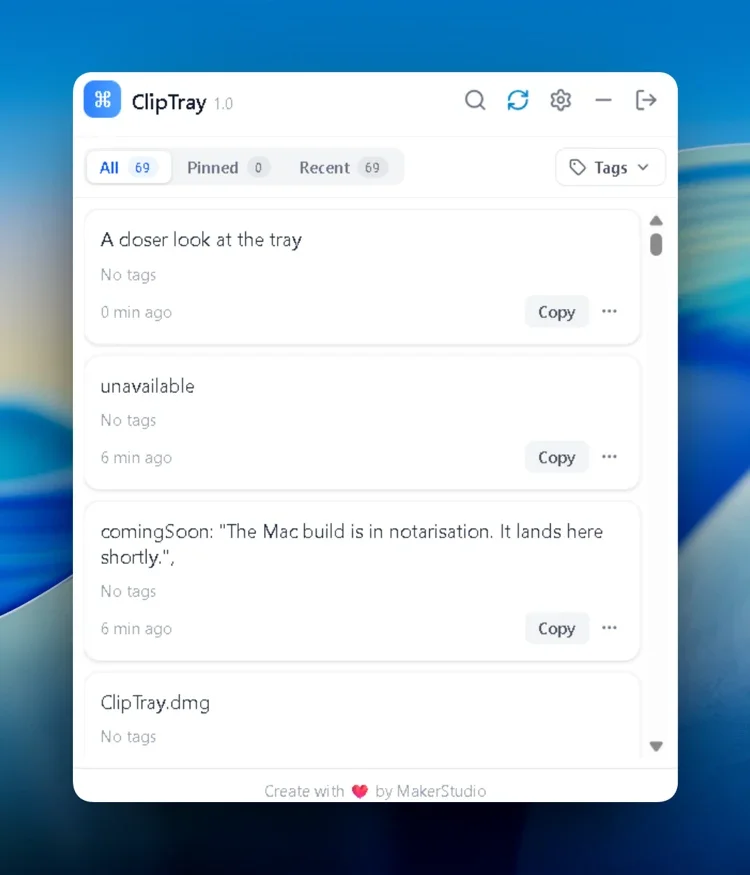
A desktop clipboard manager with searchable history, pinned items and tags.
The purpose
A clearer way
to move forward.
Useful snippets disappear when another item replaces the clipboard.
Who it's for
Designers, developers, writers and people who copy and paste frequently.
- Retrieve earlier copied items
- Keep frequently used snippets nearby
- Organize clips by project or client
Key features
Focused on the essentials.
Clipboard history
Keep earlier text, links and image clips.
Instant search
Search your saved clipboard items.
Pins & tags
Group clips and keep important items at the top.
Device sync
Sync clips across supported devices.
How it works
From your first step
to your next result.
-
Install Cliptray
Choose the download for your system.
-
Copy as usual
Keep useful items in your history.
-
Find and reuse
Search, pin or tag clips for later.
Product preview
A closer look at Cliptray.
An interface image from the product website.
Product image from the public website.
Visit the product websiteOverview source: Cliptray public website. View source.